Sale Price:
$24.99
Original Price:
$44.99
PhotoMatter
Transform images into production-ready PBR textures, decals, alpha masks, material maps, and optimized assets for modern 3D workflows.
# PhotoMatter
Image-to-PBR Texture and Decal Maker
PhotoMatter is a fast, local image-processing tool designed to turn real-world images into production-ready PBR texture maps. Built for artists, indie developers, Blender users, Unreal users, modders, and 3D creators, PhotoMatter helps convert photos, scans, generated images, decals, and surface references into usable material assets without a subscription.
PhotoMatter generates coordinated PBR outputs from a supplied source image, including:
- Basecolor / diffuse
- Height
- Normal
- Ambient occlusion
- Roughness
- Packed ORM
Packed ORM output uses:
- R = Ambient Occlusion
- G = Roughness
- B = Metallic
PhotoMatter also includes tools for perspective correction, crop, alpha/background preparation, real-time 3D preview, export validation, and engine-friendly material output.
## Key Features
- Convert images into PBR material maps
- Create decal-style texture assets
- Generate basecolor, height, normal, AO, roughness, and ORM maps
- OpenGL / Blender and DirectX / Unreal normal format support
- Height algorithm selection
- Normal algorithm selection
- Normal strength control
- Perspective correction with zoom and pan
- Preview on plane, cube, and sphere
- Plane preview can respect source aspect ratio
- Preview tiling scale for checking repeat behavior
- Local desktop workflow
- One-time purchase — no subscription
## Built for Real Creator Workflows
PhotoMatter is designed for fast material creation and decal preparation. It is especially useful when you need to turn an existing image into a usable texture set quickly, prepare surface details for 3D scenes, or generate maps for use in Blender, Unreal Engine, and other PBR-based workflows.
Use PhotoMatter for:
- Concrete cracks
- Asphalt damage
- Wall stains
- Rust marks
- Paint damage
- Surface grime
- Ground decals
- Material references
- Generated texture sources
- Photo-based PBR material starting points
## Engine-Friendly Export
PhotoMatter supports common PBR workflow needs, including packed ORM output and normal format handling for different engines.
For Unreal-style workflows, PhotoMatter can output DirectX-oriented normals and packed ORM maps.
For Blender-style workflows, PhotoMatter supports OpenGL-oriented normal output and standard non-color map usage.
## Ownership-Based Software
PhotoMatter is sold as a one-time purchase. No subscription is required. When you buy PhotoMatter, you receive a permanent license for the version you purchased.
## Important Note
PhotoMatter 1.x focuses on image-to-PBR and decal-generation workflows. It is not a full procedural material editor. Seamless material synthesis and advanced model-assisted texture generation are planned for future major versions.
🖥️ Minimum Specs
OS: Windows 10 or Windows 11 (64‑bit)
CPU: Quad‑core processor (Intel i5 / AMD Ryzen 3 or better)
RAM: 8 GB
GPU: NVIDIA GTX 1060 / AMD RX 580 or equivalent
VRAM: 4 GB
Storage: 500 MB free space
🚀 Recommended Specs
PhotoMatter
Transform images into production-ready PBR textures, decals, alpha masks, material maps, and optimized assets for modern 3D workflows.
# PhotoMatter
Image-to-PBR Texture and Decal Maker
PhotoMatter is a fast, local image-processing tool designed to turn real-world images into production-ready PBR texture maps. Built for artists, indie developers, Blender users, Unreal users, modders, and 3D creators, PhotoMatter helps convert photos, scans, generated images, decals, and surface references into usable material assets without a subscription.
PhotoMatter generates coordinated PBR outputs from a supplied source image, including:
- Basecolor / diffuse
- Height
- Normal
- Ambient occlusion
- Roughness
- Packed ORM
Packed ORM output uses:
- R = Ambient Occlusion
- G = Roughness
- B = Metallic
PhotoMatter also includes tools for perspective correction, crop, alpha/background preparation, real-time 3D preview, export validation, and engine-friendly material output.
## Key Features
- Convert images into PBR material maps
- Create decal-style texture assets
- Generate basecolor, height, normal, AO, roughness, and ORM maps
- OpenGL / Blender and DirectX / Unreal normal format support
- Height algorithm selection
- Normal algorithm selection
- Normal strength control
- Perspective correction with zoom and pan
- Preview on plane, cube, and sphere
- Plane preview can respect source aspect ratio
- Preview tiling scale for checking repeat behavior
- Local desktop workflow
- One-time purchase — no subscription
## Built for Real Creator Workflows
PhotoMatter is designed for fast material creation and decal preparation. It is especially useful when you need to turn an existing image into a usable texture set quickly, prepare surface details for 3D scenes, or generate maps for use in Blender, Unreal Engine, and other PBR-based workflows.
Use PhotoMatter for:
- Concrete cracks
- Asphalt damage
- Wall stains
- Rust marks
- Paint damage
- Surface grime
- Ground decals
- Material references
- Generated texture sources
- Photo-based PBR material starting points
## Engine-Friendly Export
PhotoMatter supports common PBR workflow needs, including packed ORM output and normal format handling for different engines.
For Unreal-style workflows, PhotoMatter can output DirectX-oriented normals and packed ORM maps.
For Blender-style workflows, PhotoMatter supports OpenGL-oriented normal output and standard non-color map usage.
## Ownership-Based Software
PhotoMatter is sold as a one-time purchase. No subscription is required. When you buy PhotoMatter, you receive a permanent license for the version you purchased.
## Important Note
PhotoMatter 1.x focuses on image-to-PBR and decal-generation workflows. It is not a full procedural material editor. Seamless material synthesis and advanced model-assisted texture generation are planned for future major versions.
🖥️ Minimum Specs
OS: Windows 10 or Windows 11 (64‑bit)
CPU: Quad‑core processor (Intel i5 / AMD Ryzen 3 or better)
RAM: 8 GB
GPU: NVIDIA GTX 1060 / AMD RX 580 or equivalent
VRAM: 4 GB
Storage: 500 MB free space
🚀 Recommended Specs

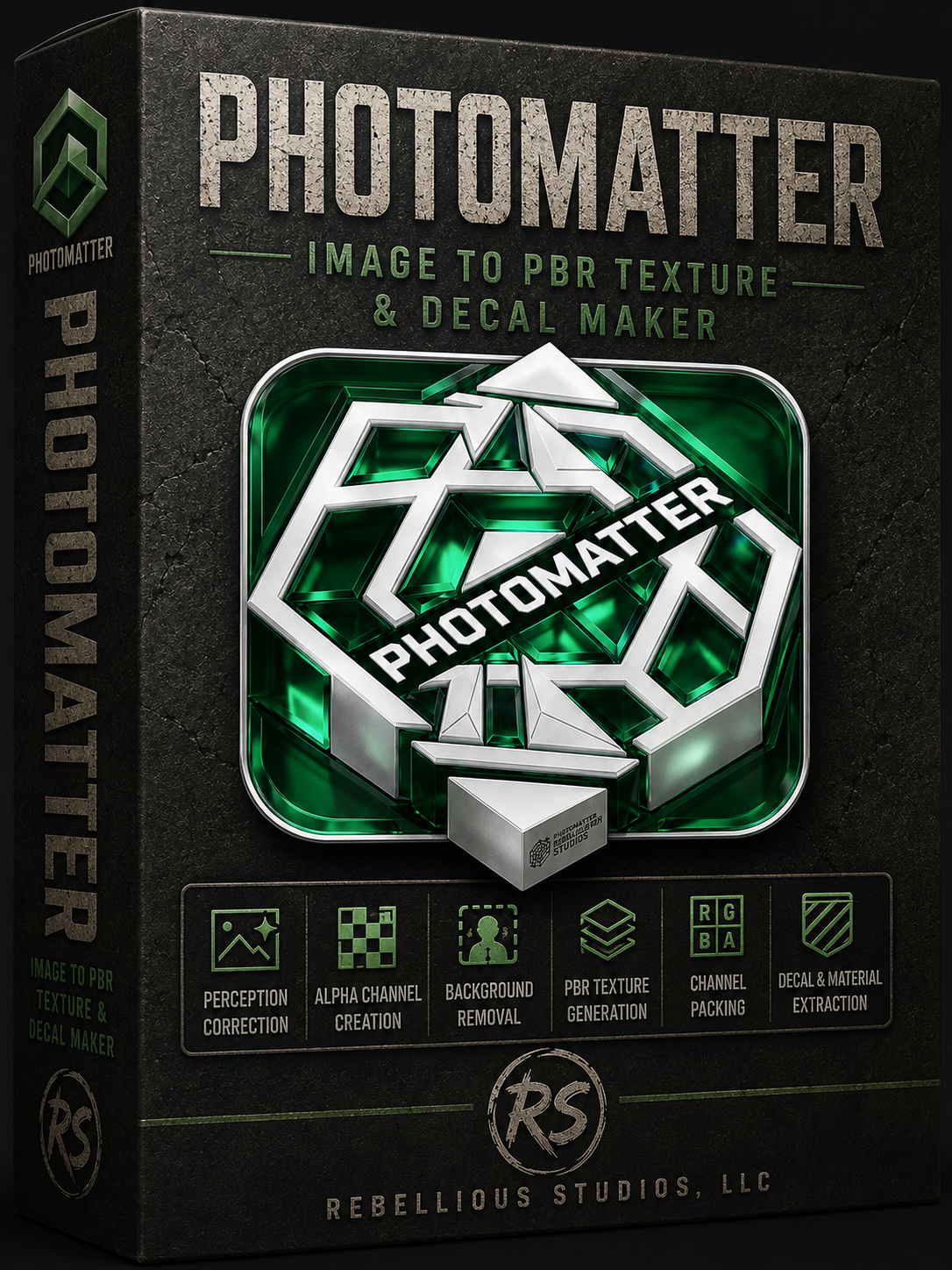 Image 1 of 25
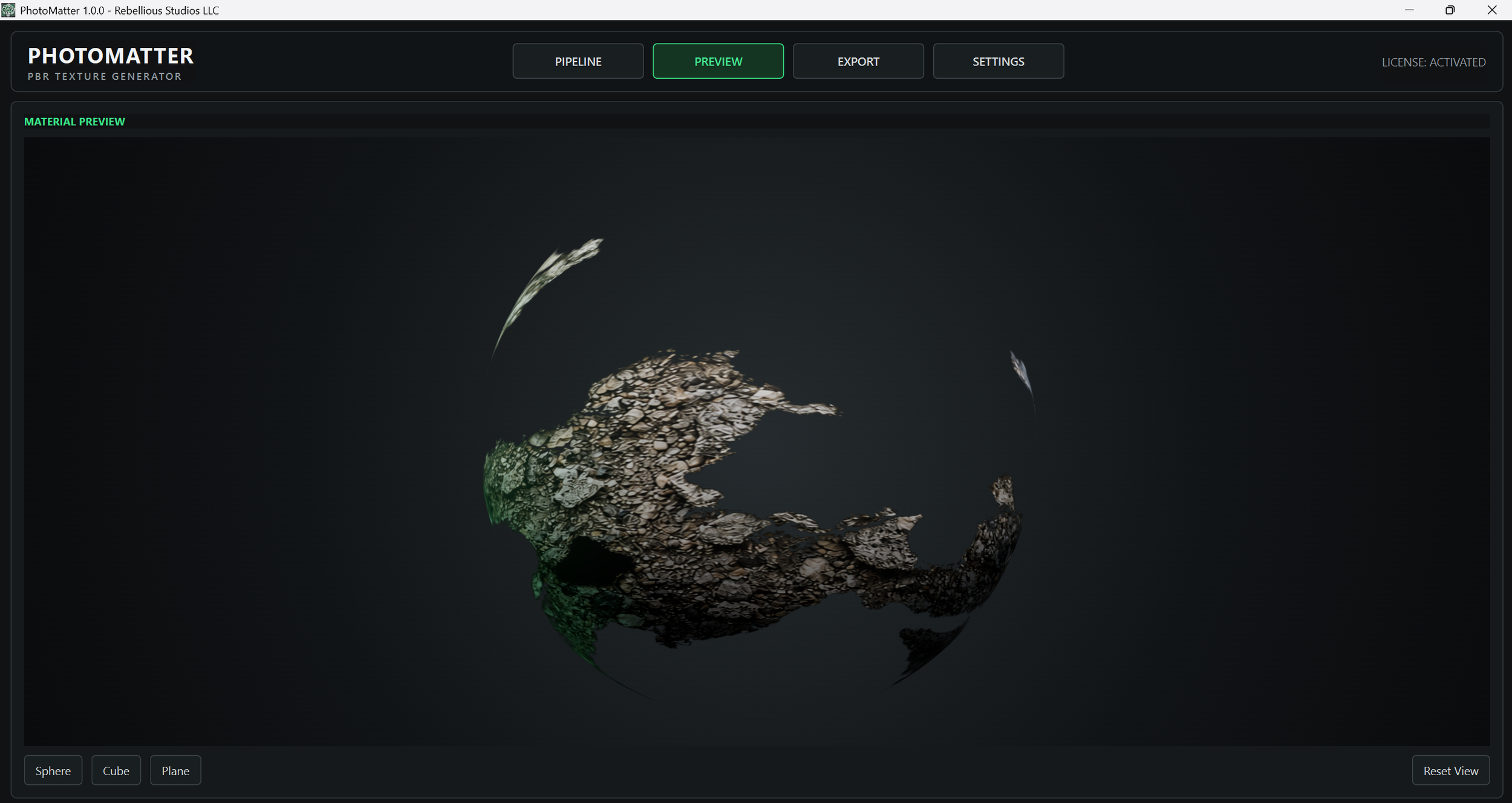 Image 2 of 25
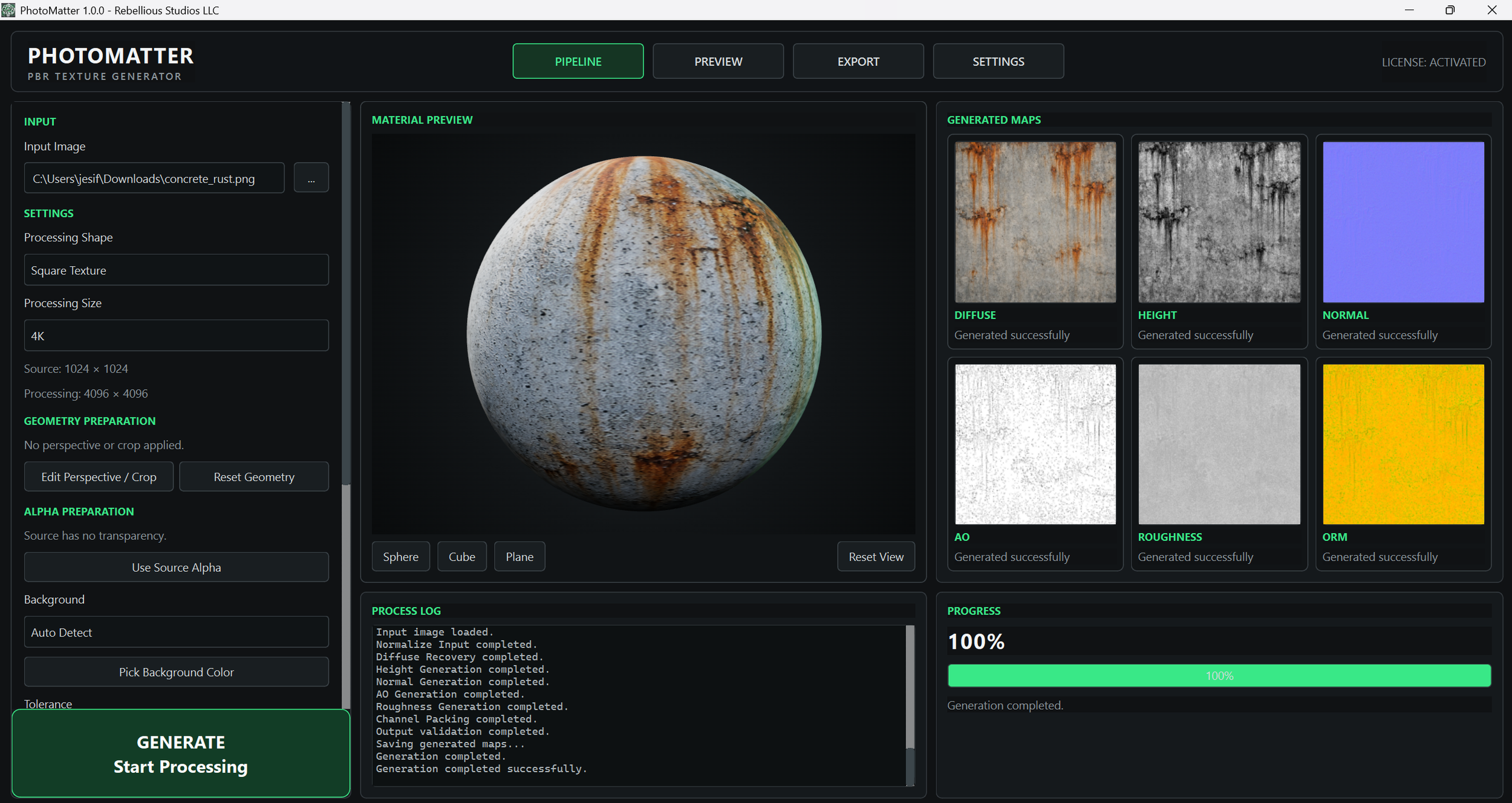 Image 3 of 25
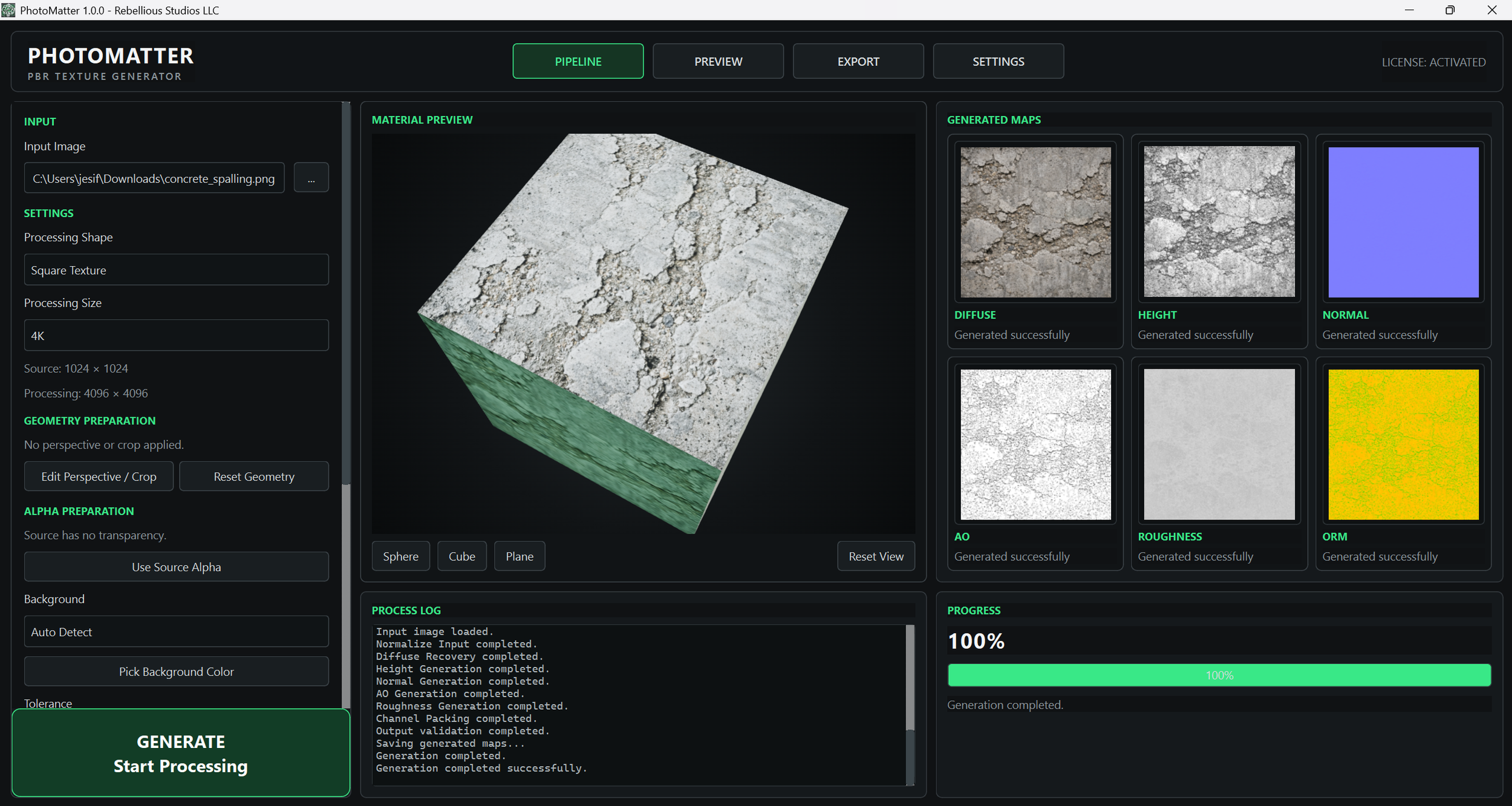 Image 4 of 25
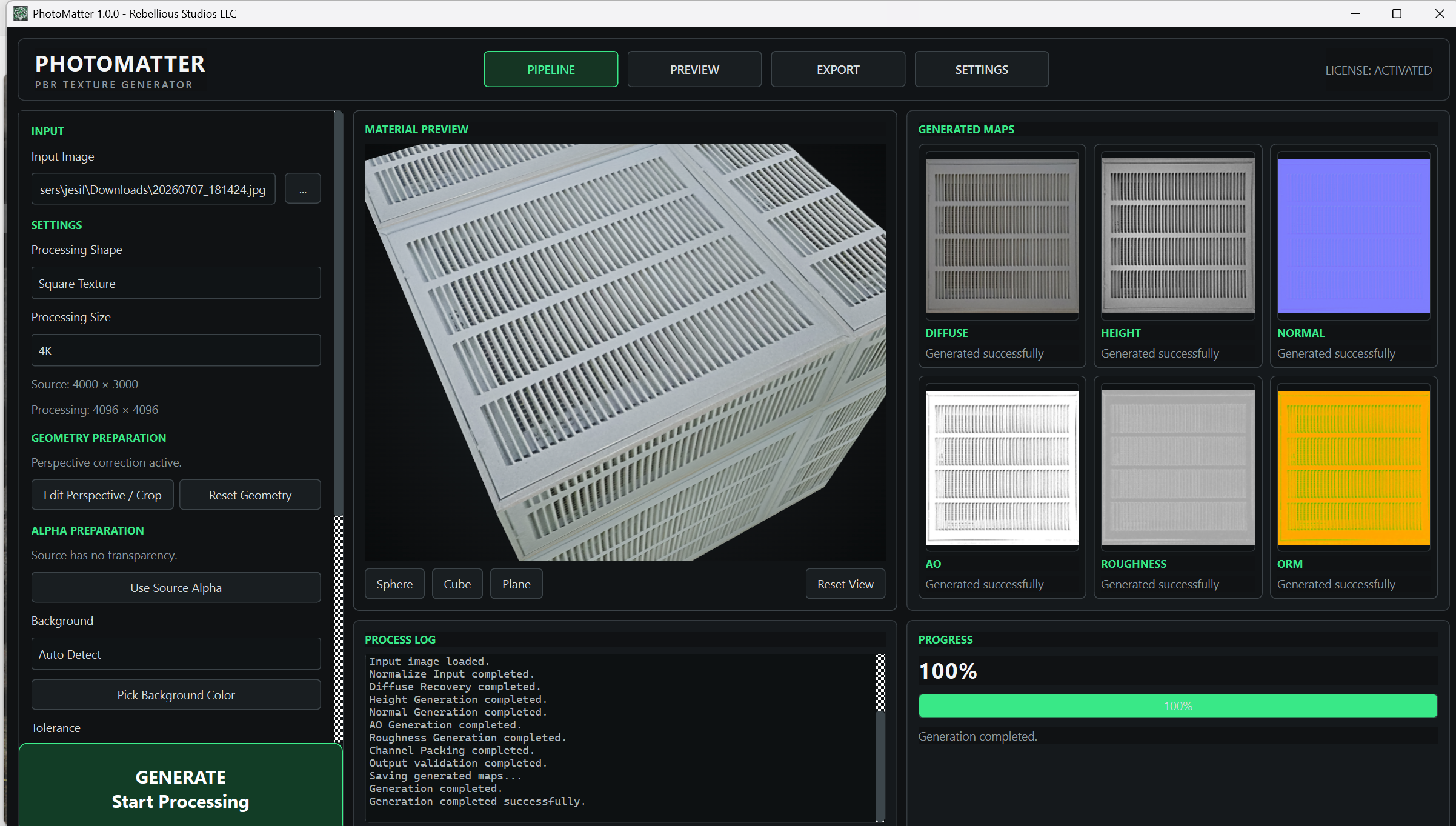 Image 5 of 25
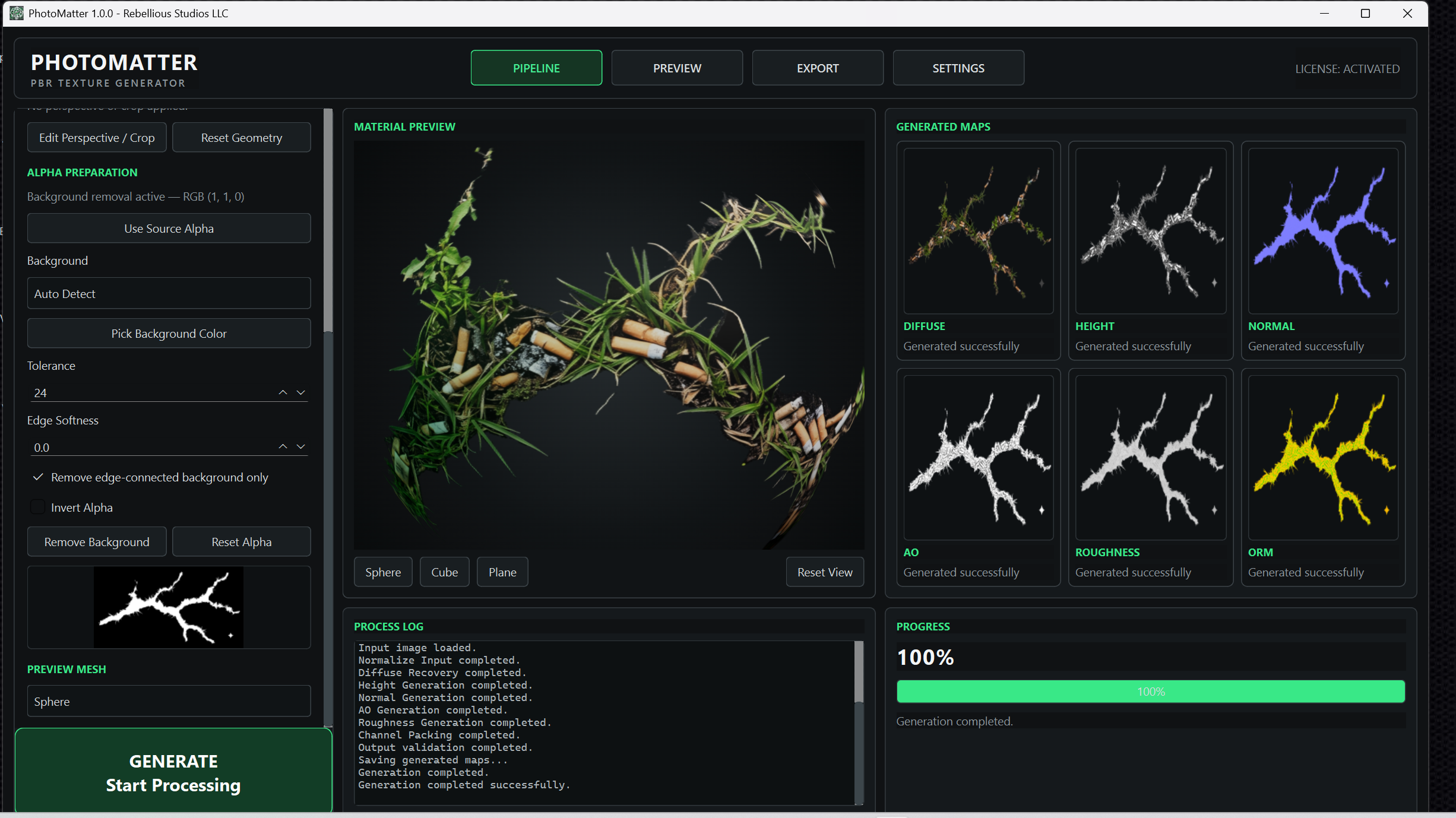 Image 6 of 25
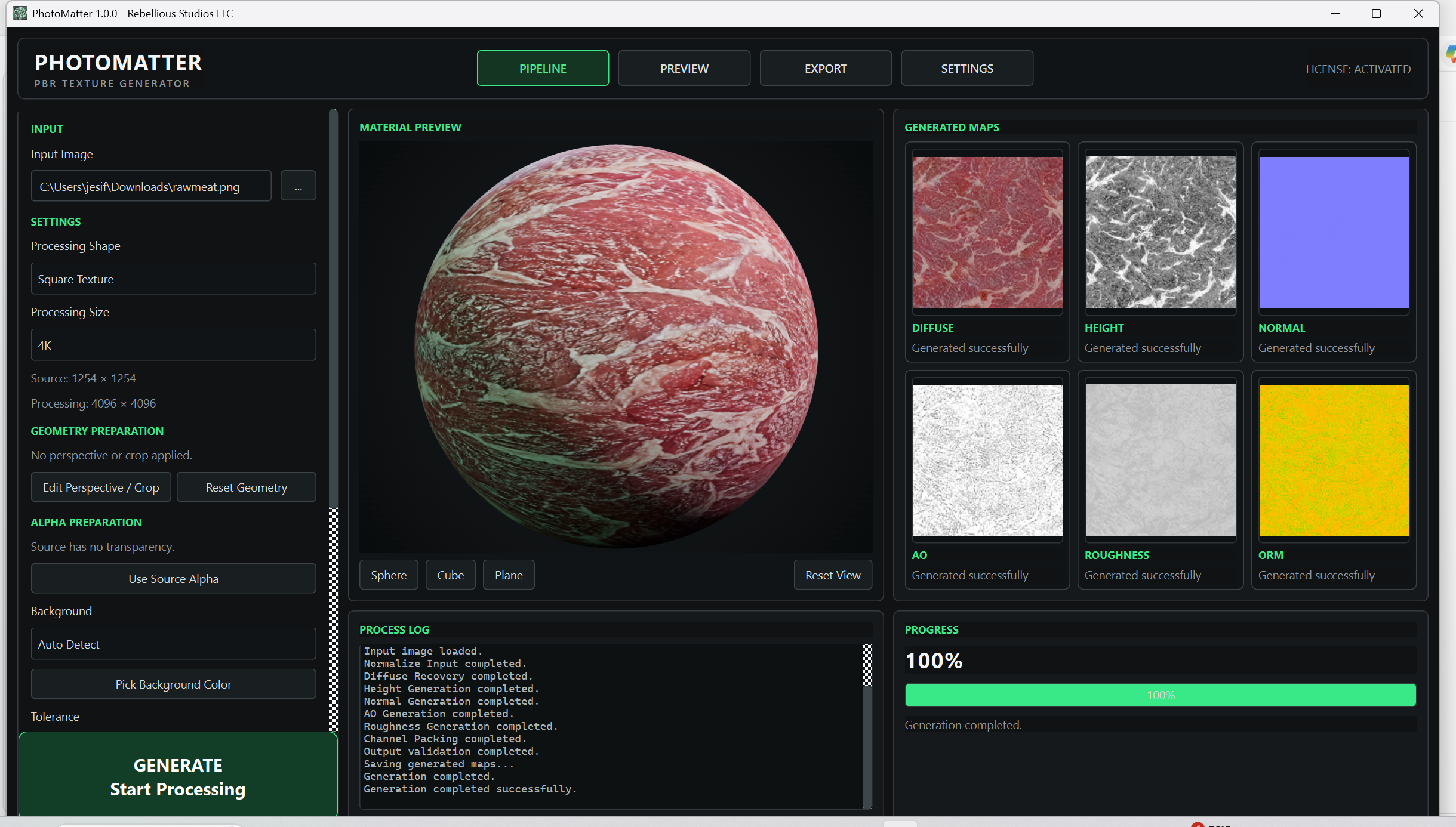 Image 7 of 25
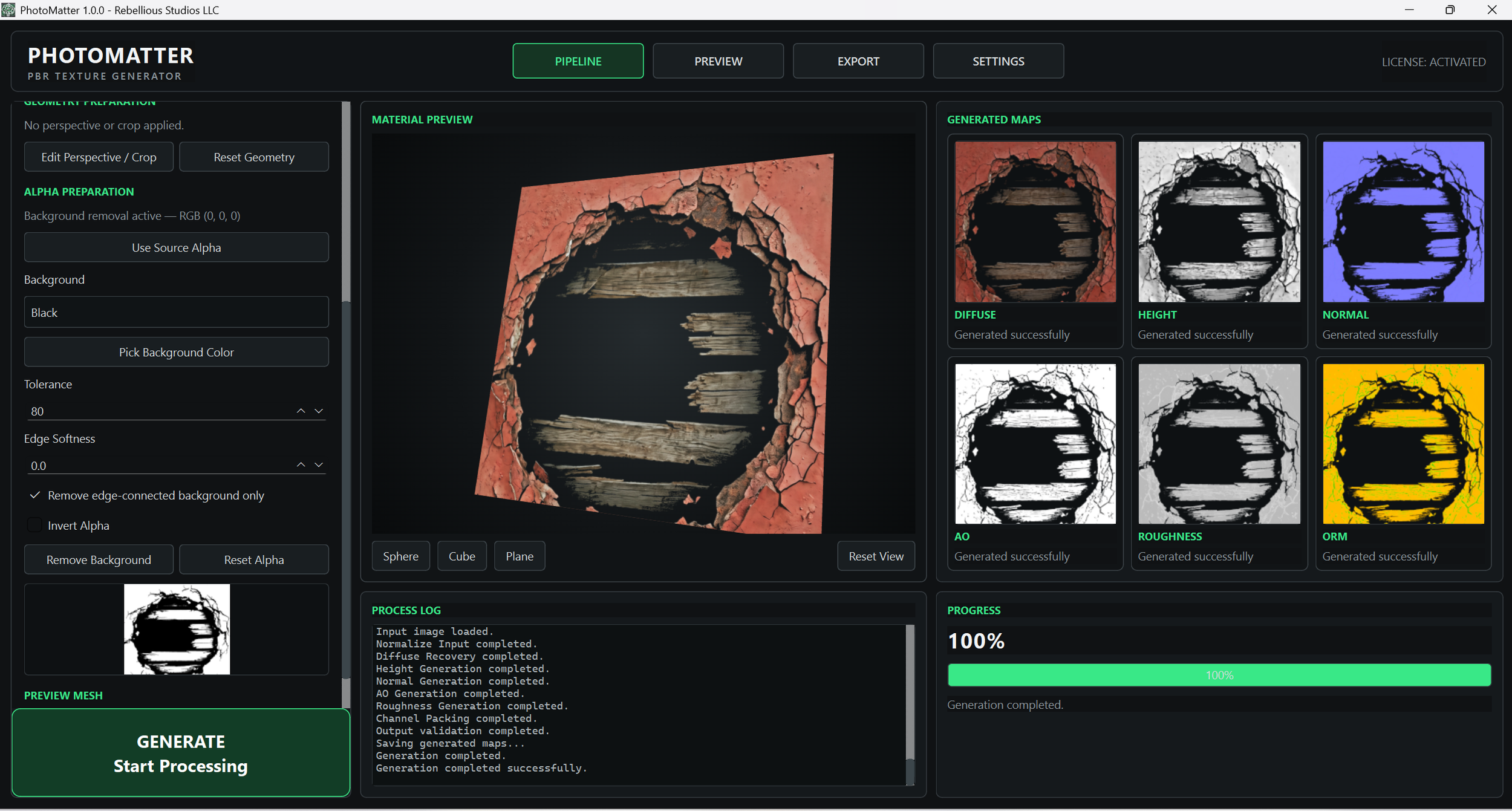 Image 8 of 25
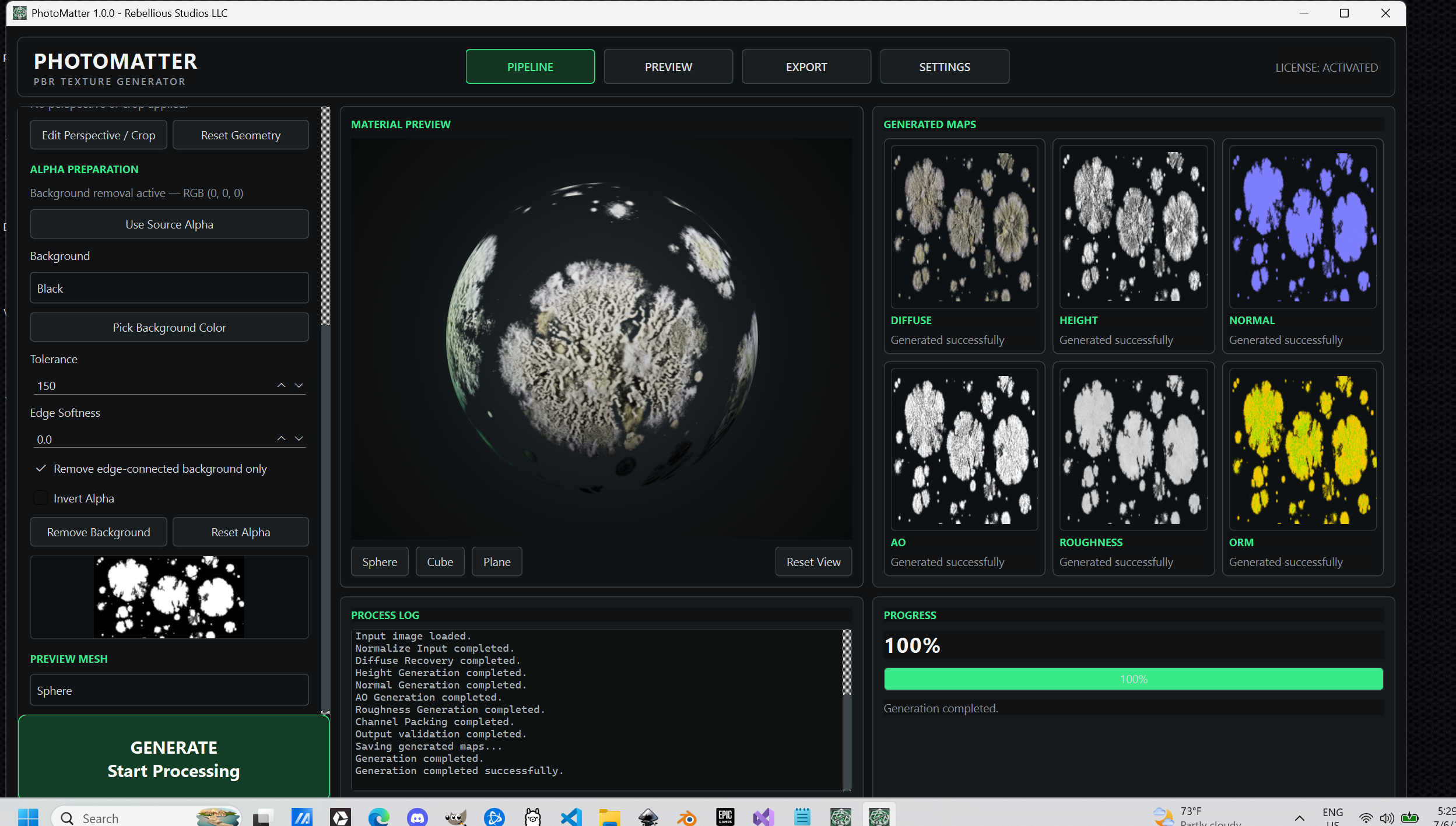 Image 9 of 25
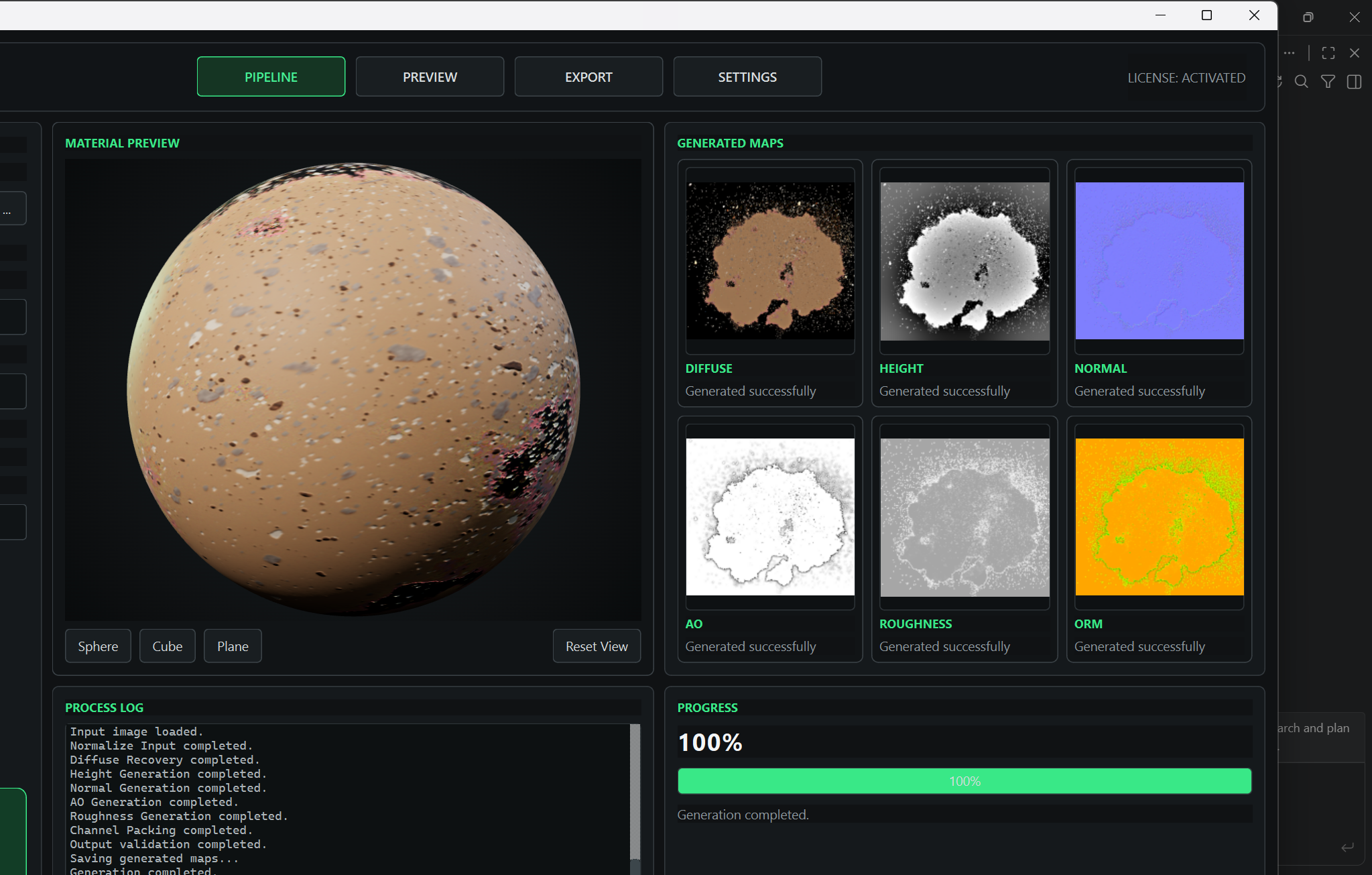 Image 10 of 25
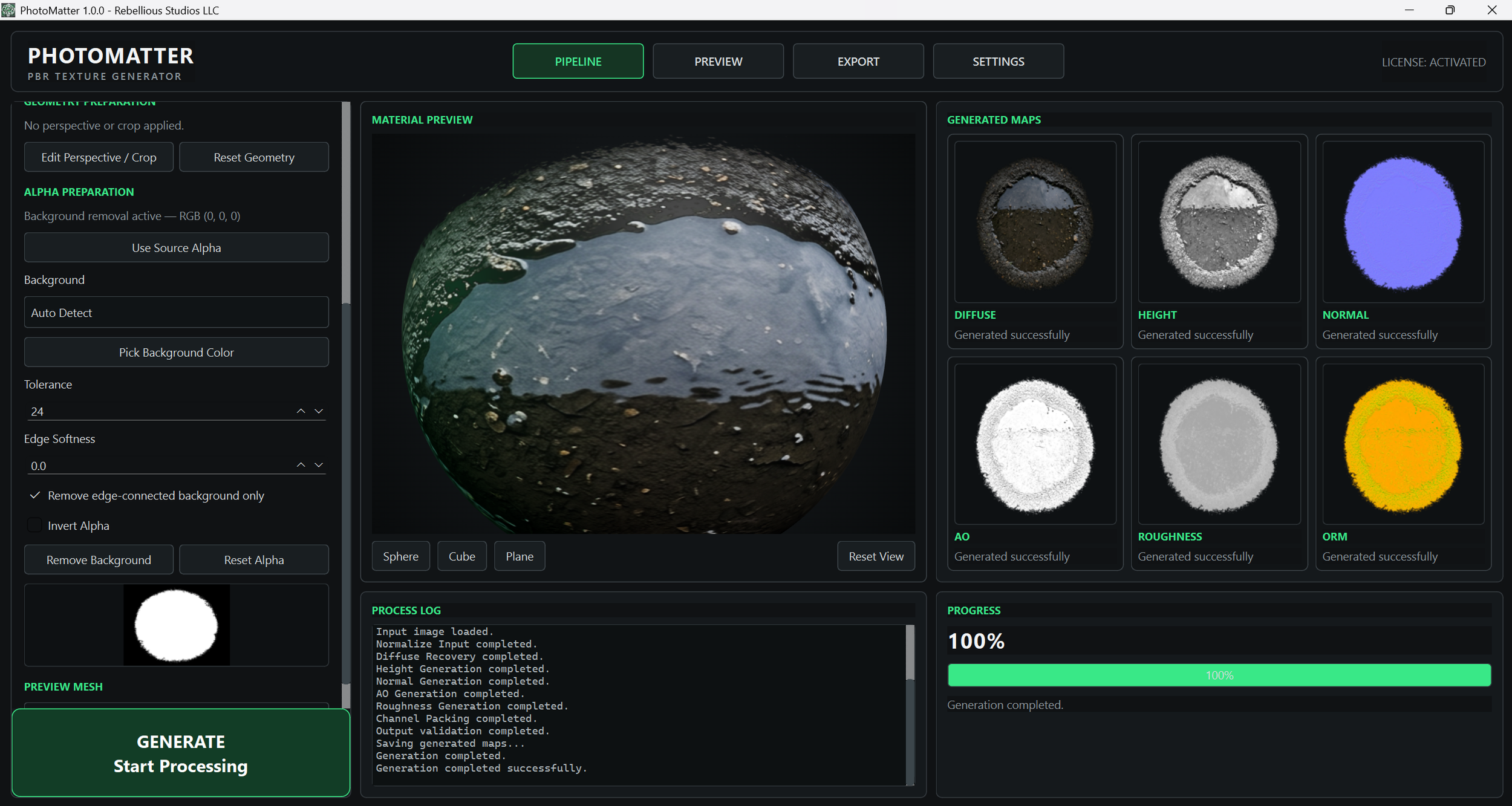 Image 11 of 25
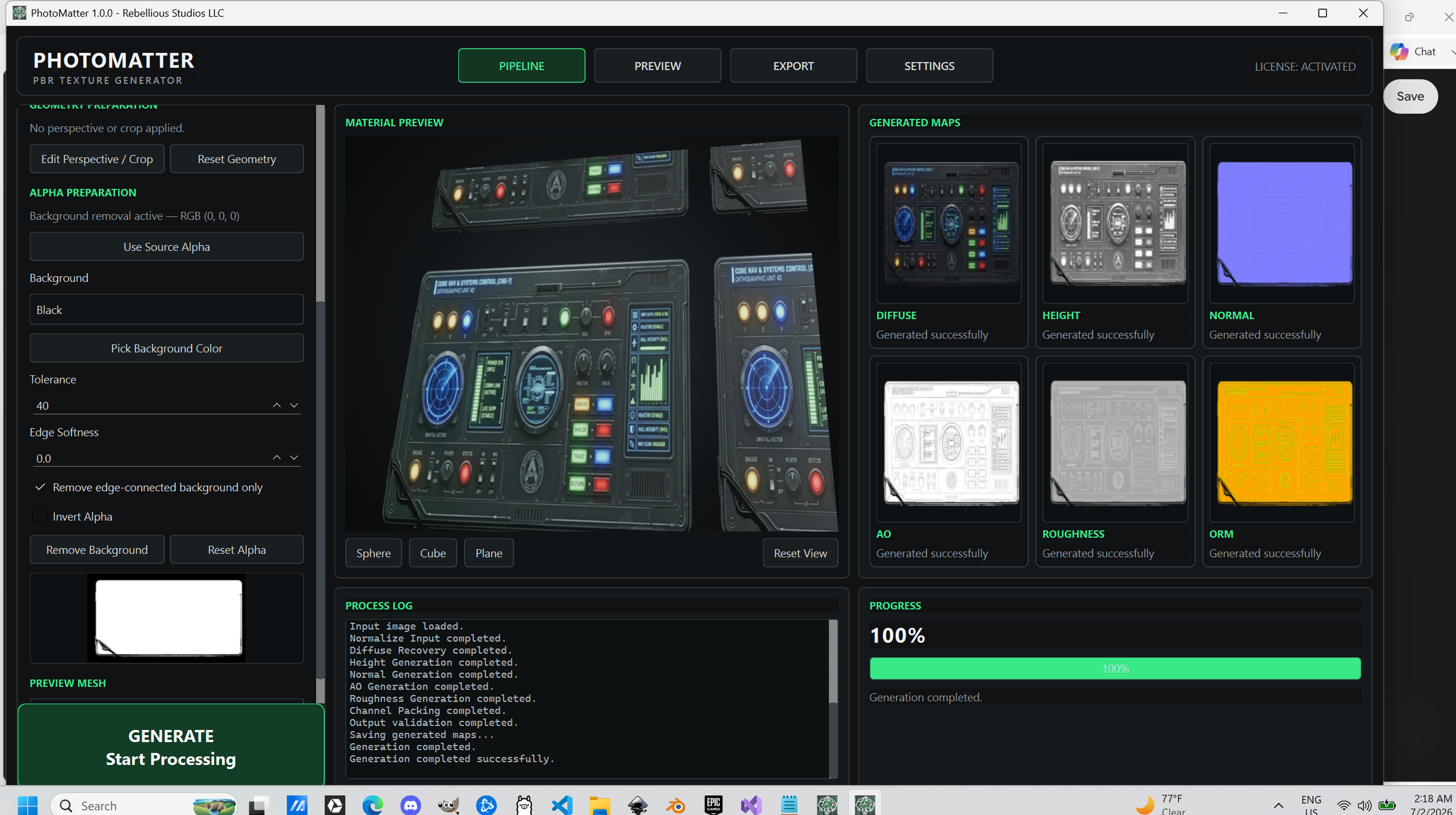 Image 12 of 25
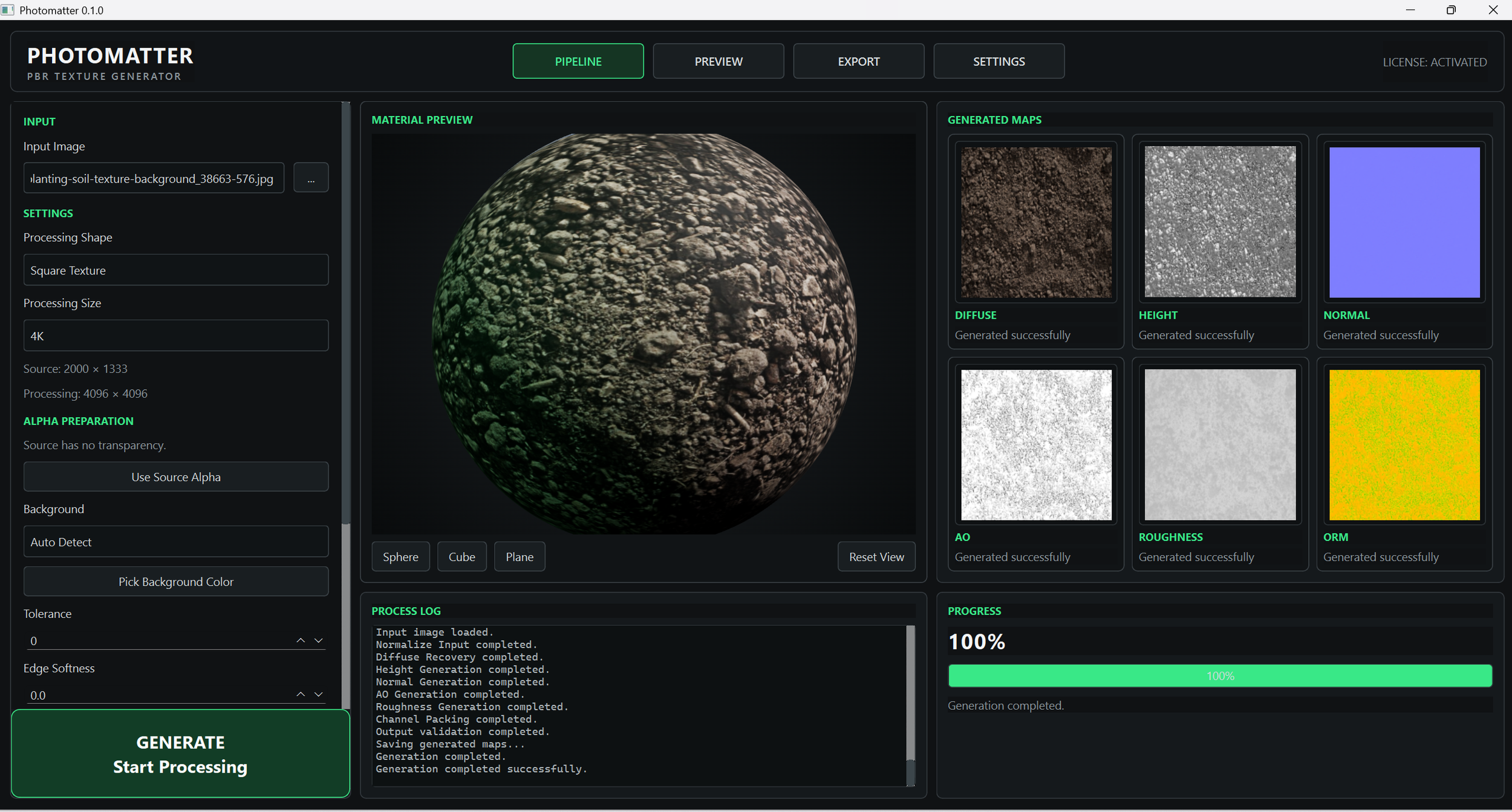 Image 13 of 25
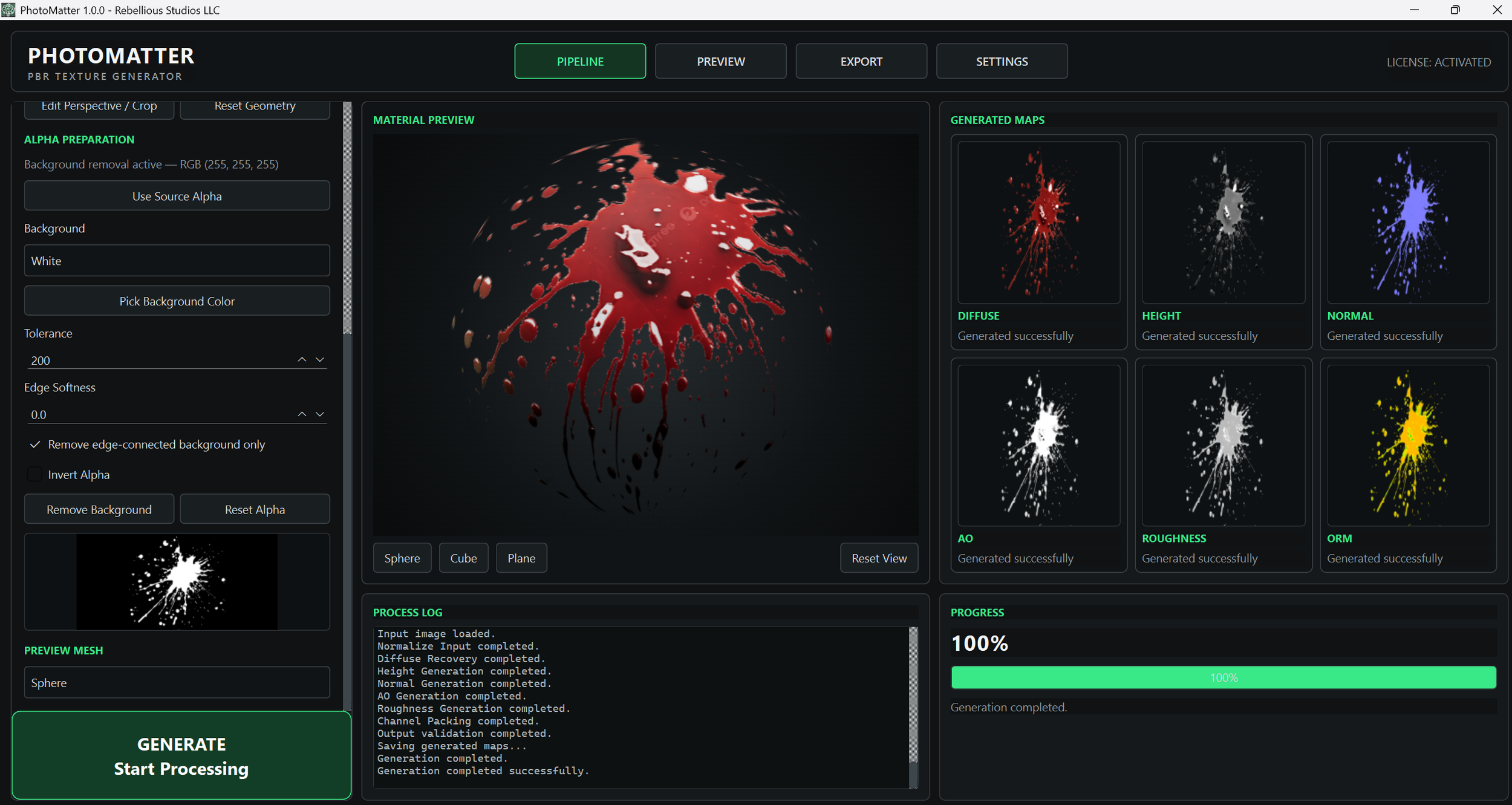 Image 14 of 25
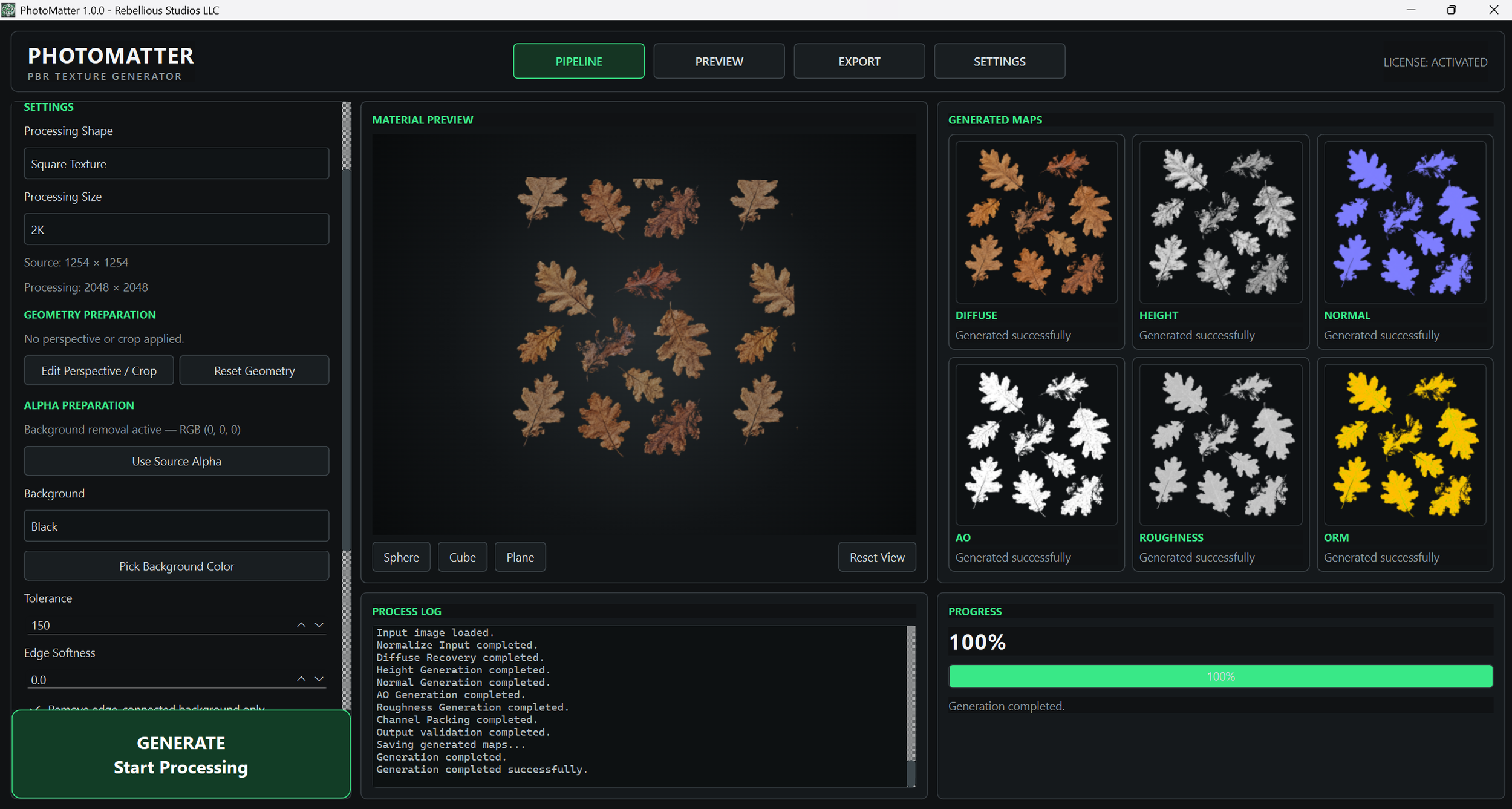 Image 15 of 25
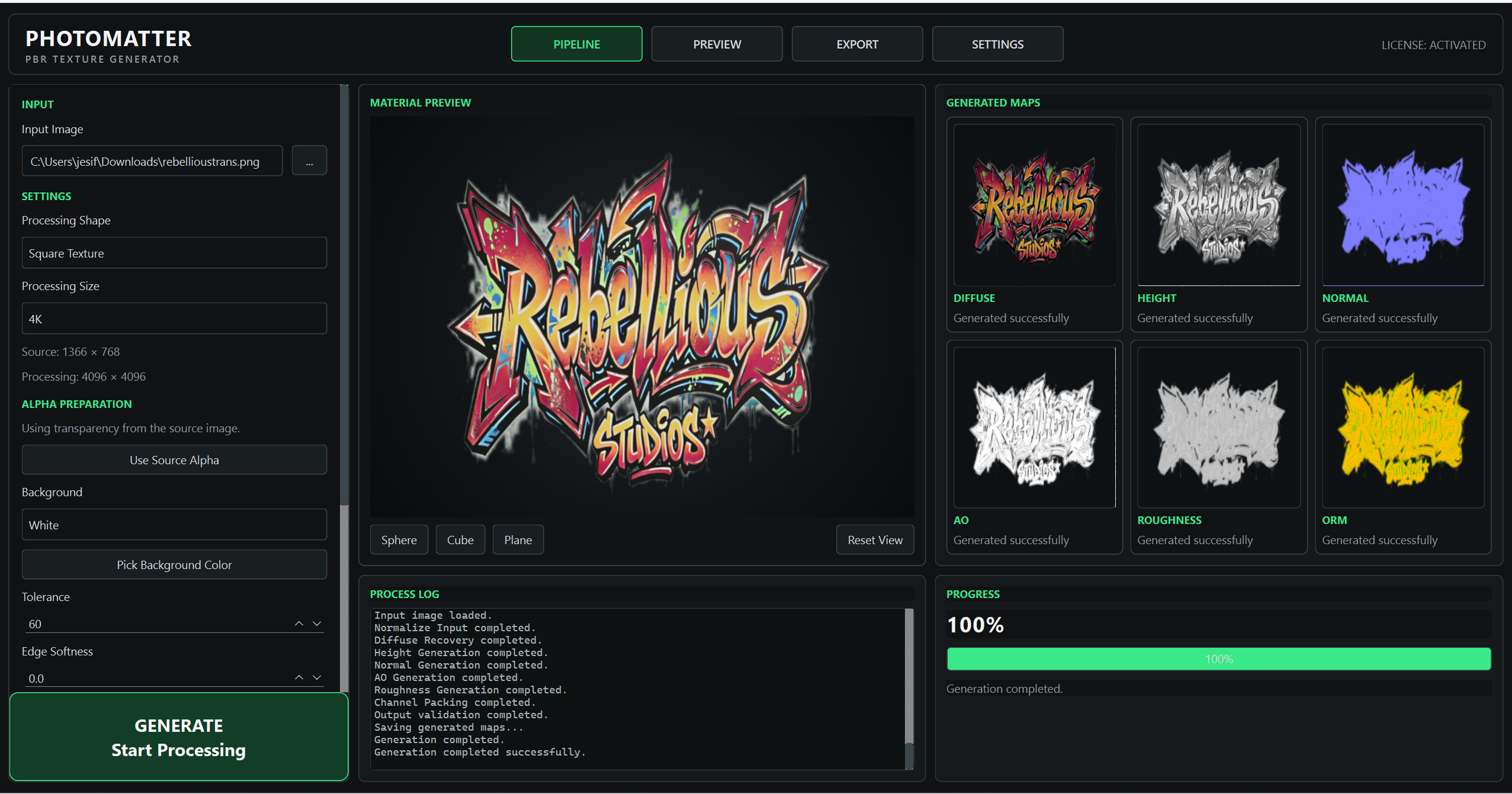 Image 16 of 25
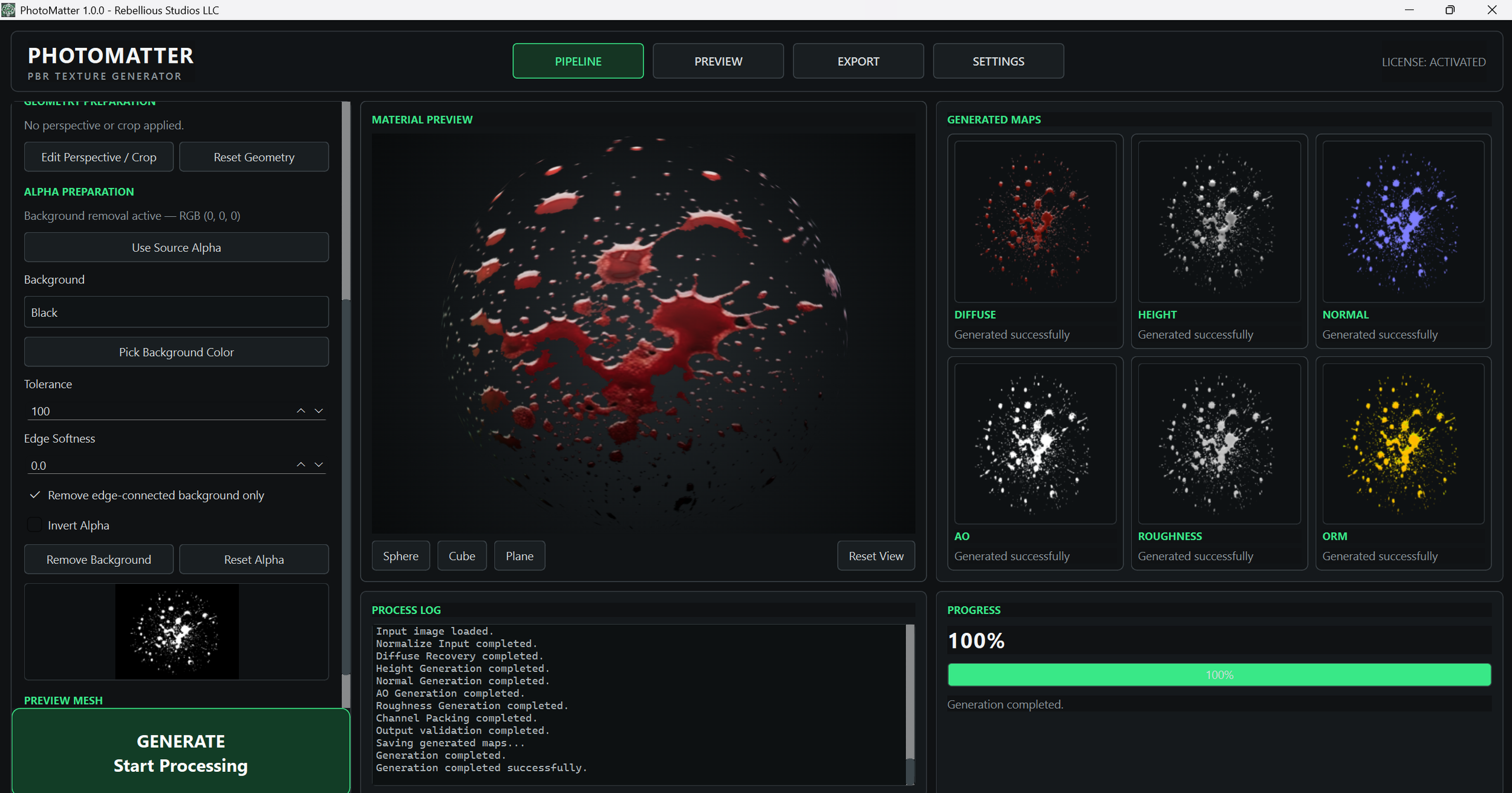 Image 17 of 25
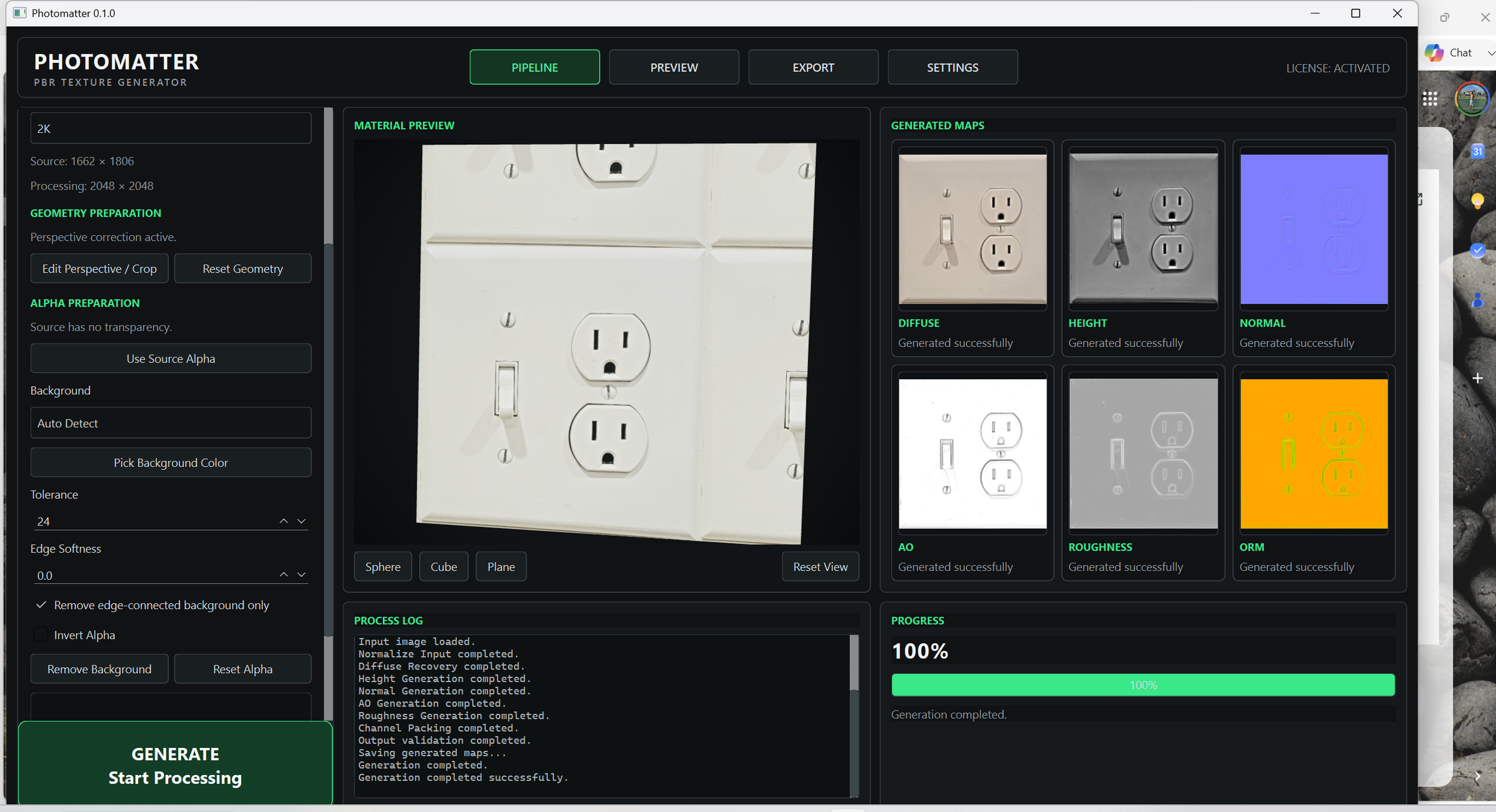 Image 18 of 25
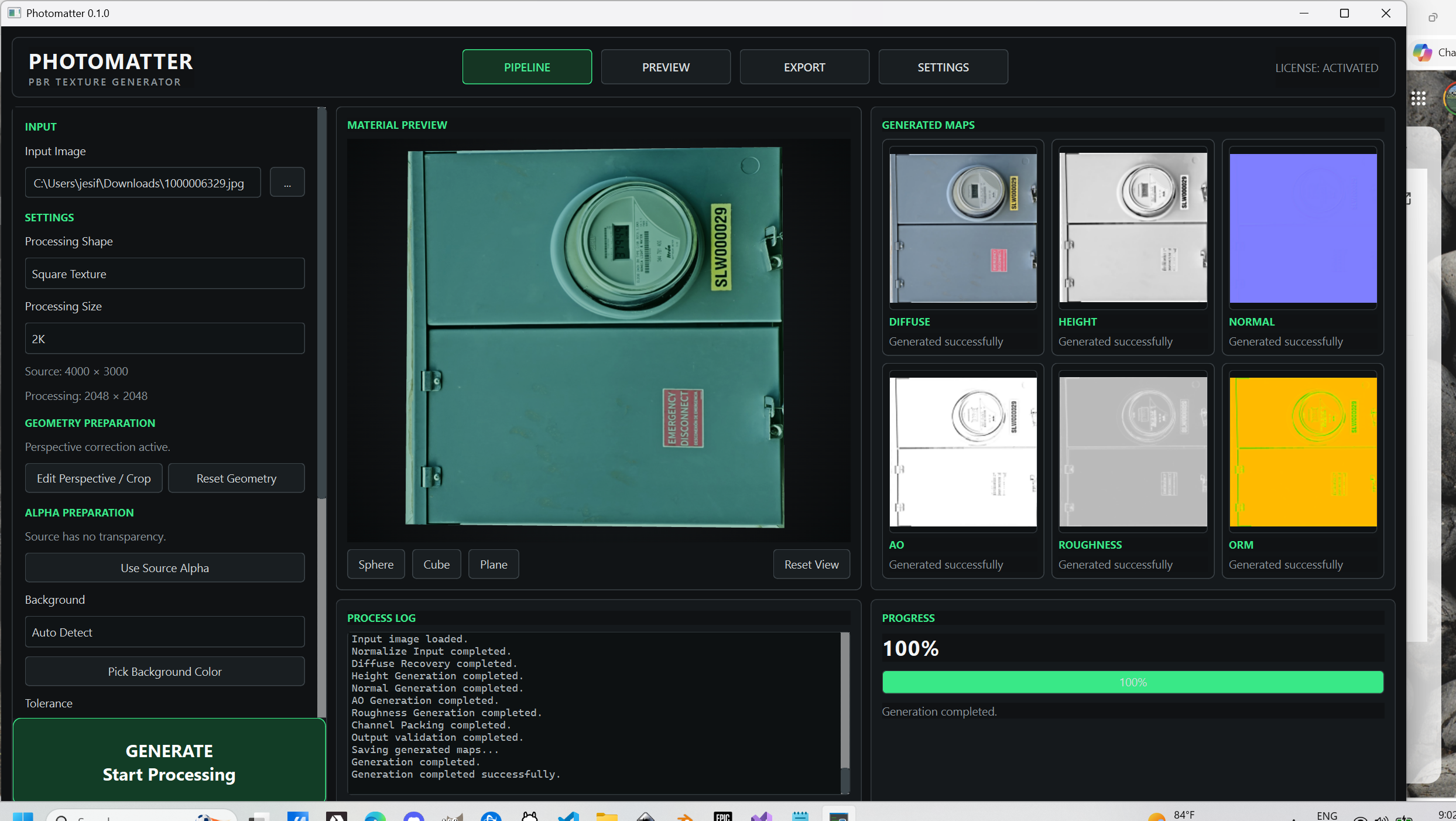 Image 19 of 25
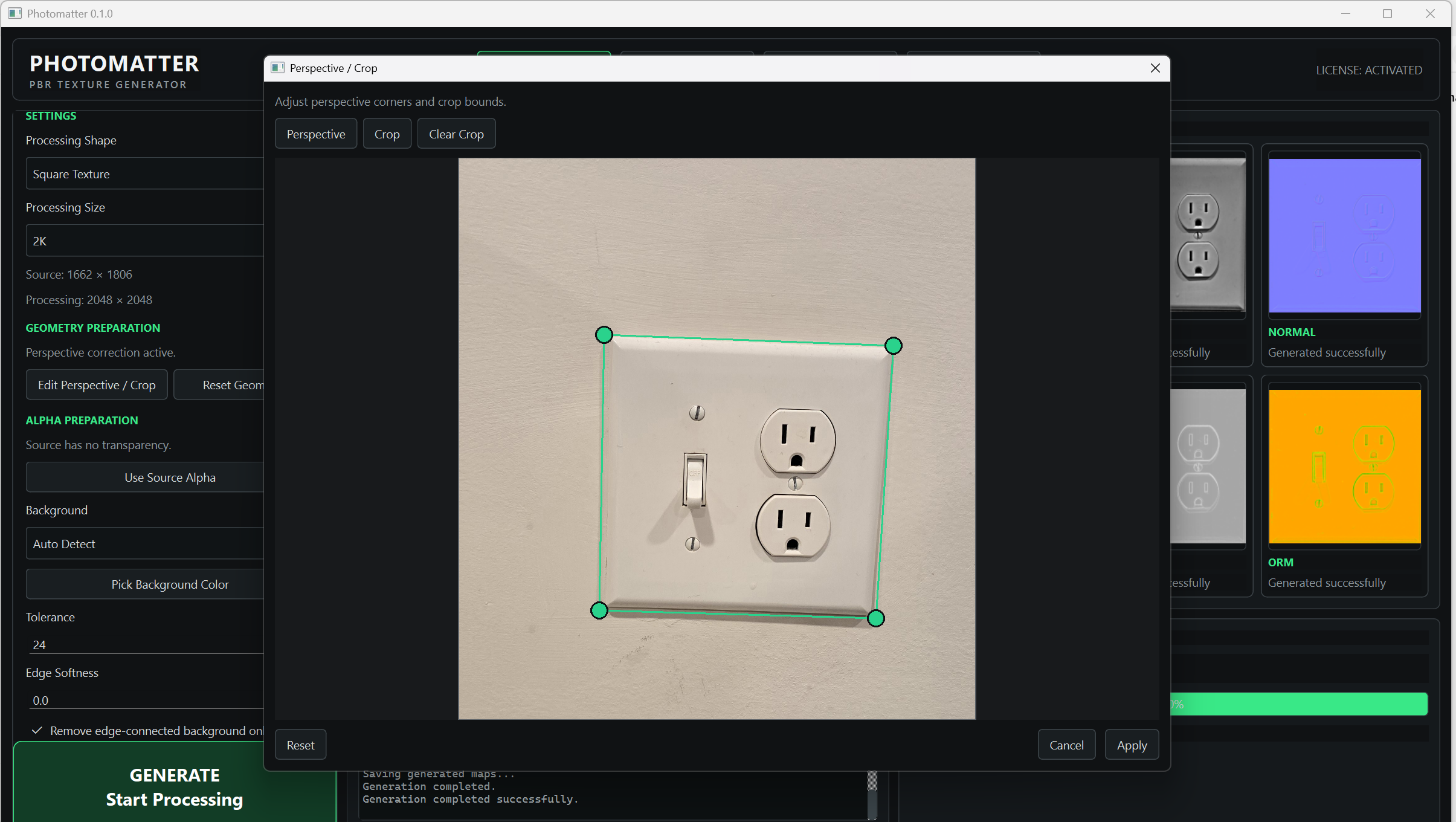 Image 20 of 25
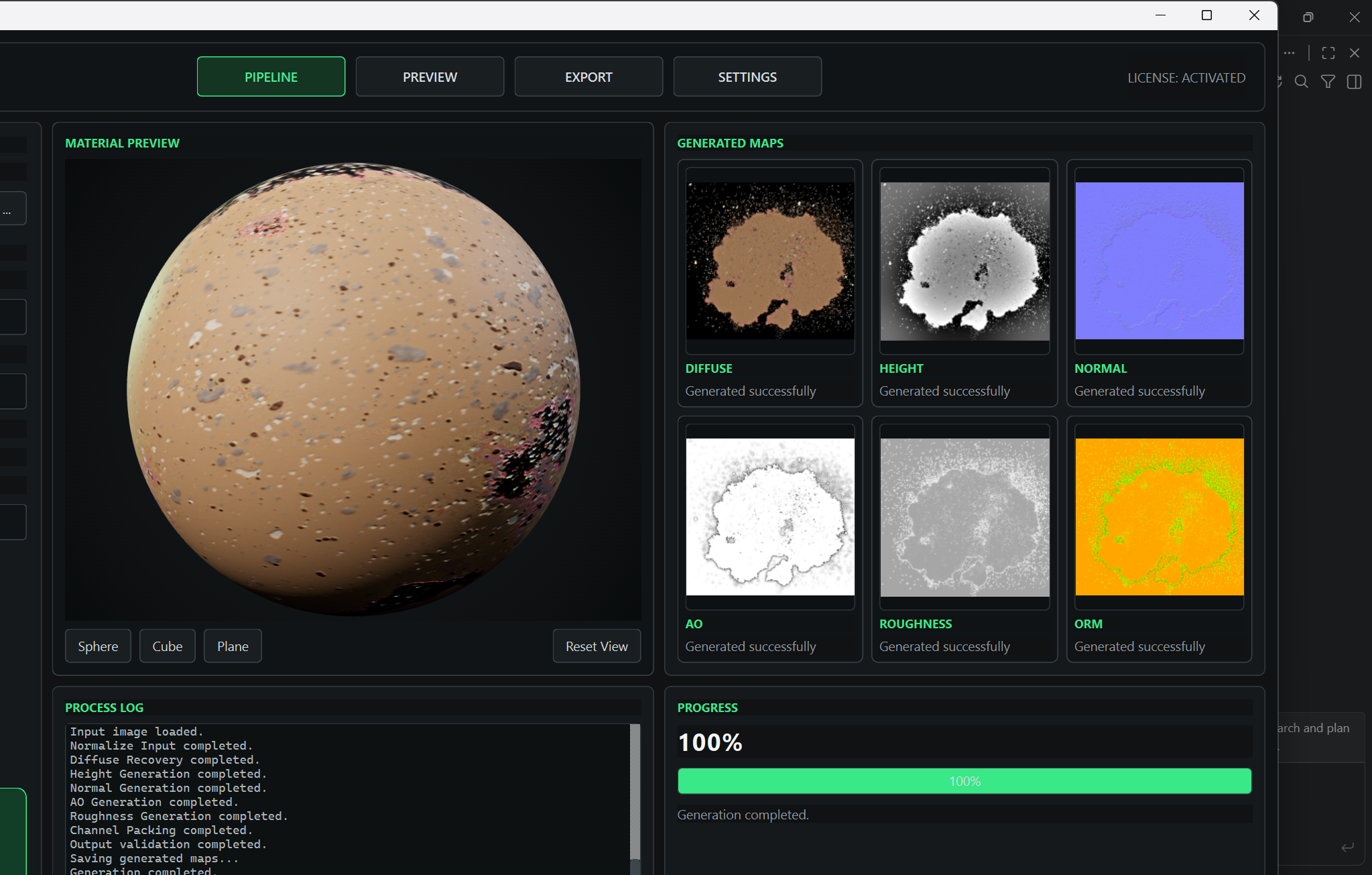 Image 21 of 25
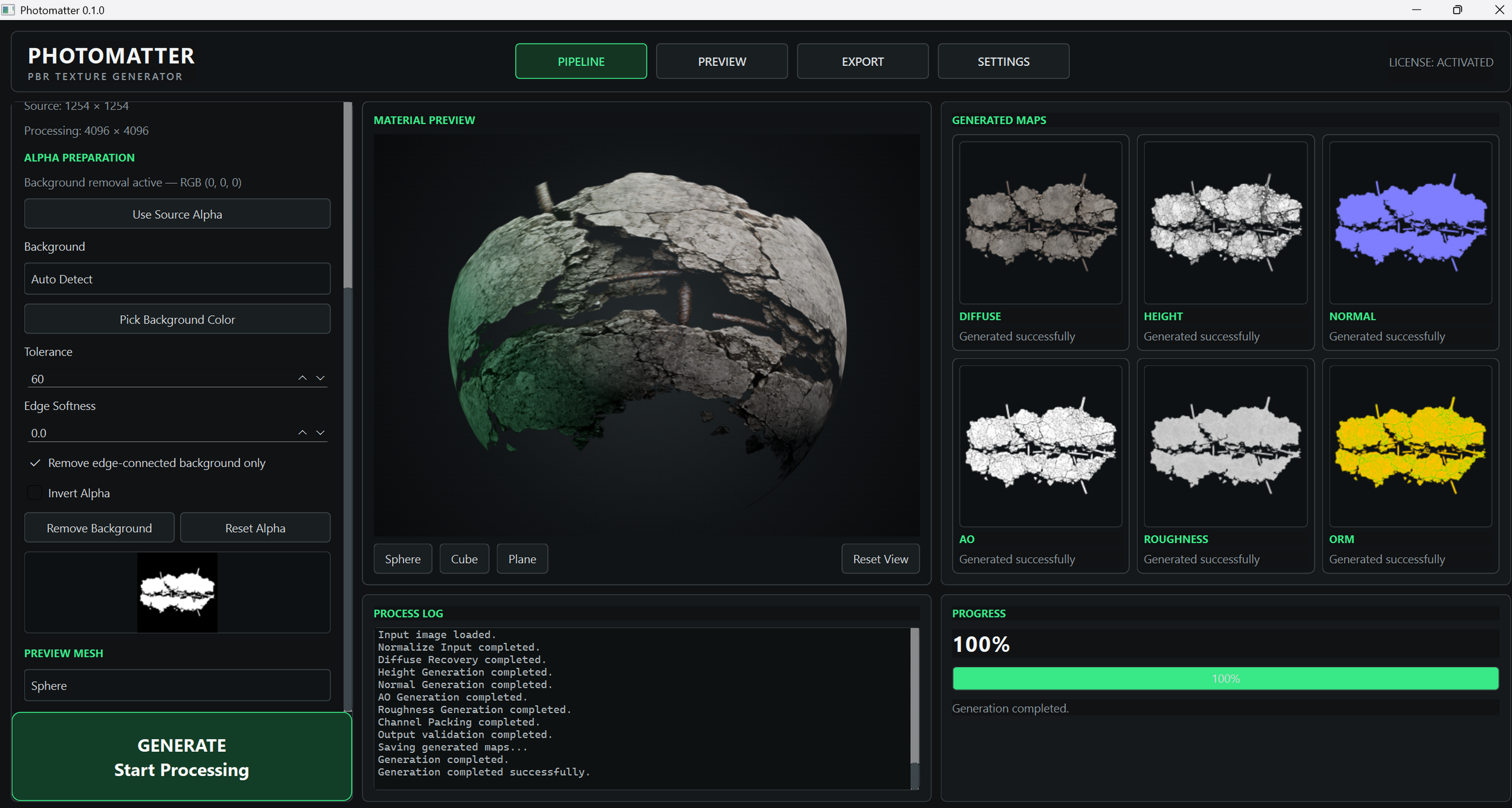 Image 22 of 25
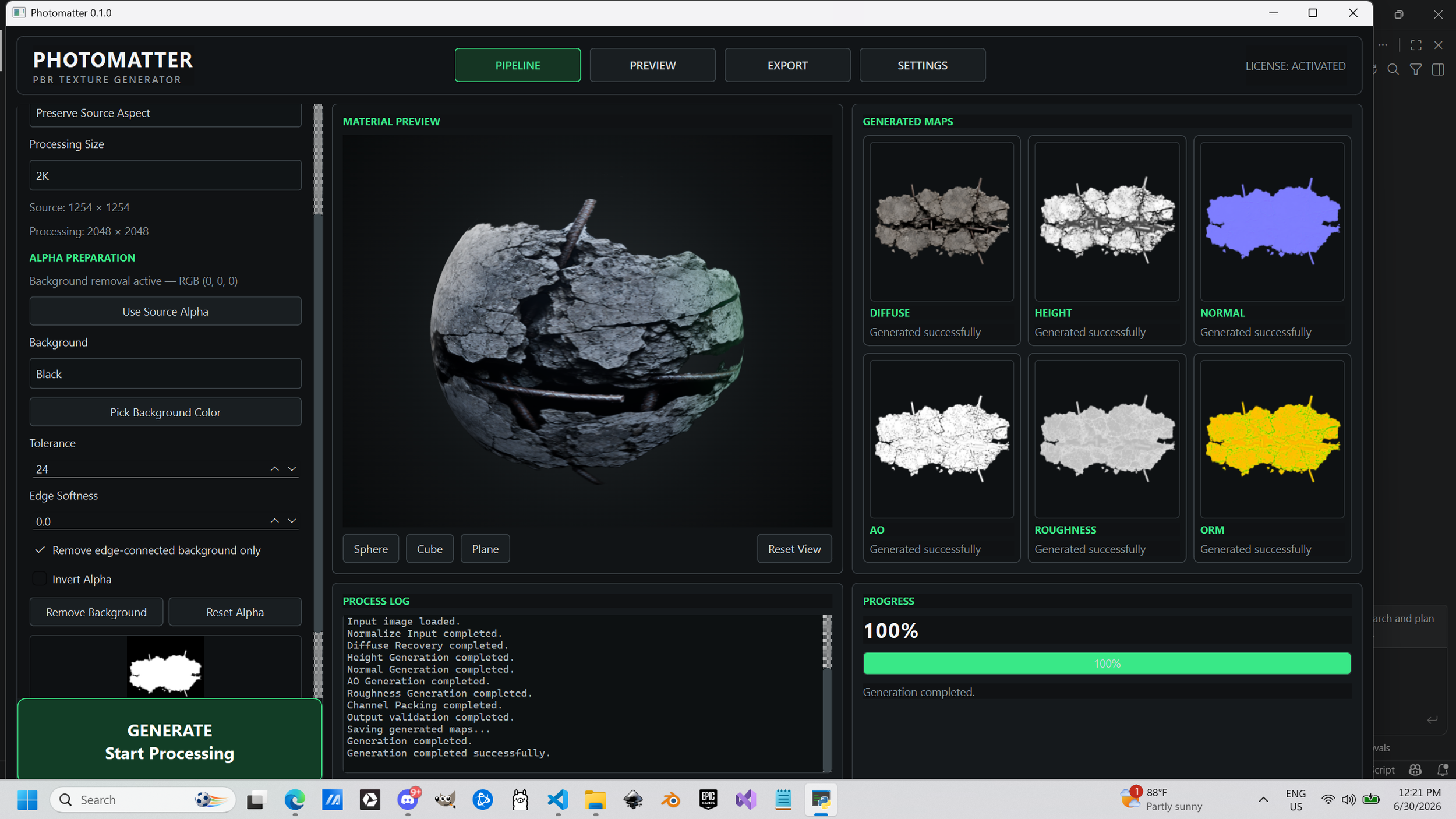 Image 23 of 25
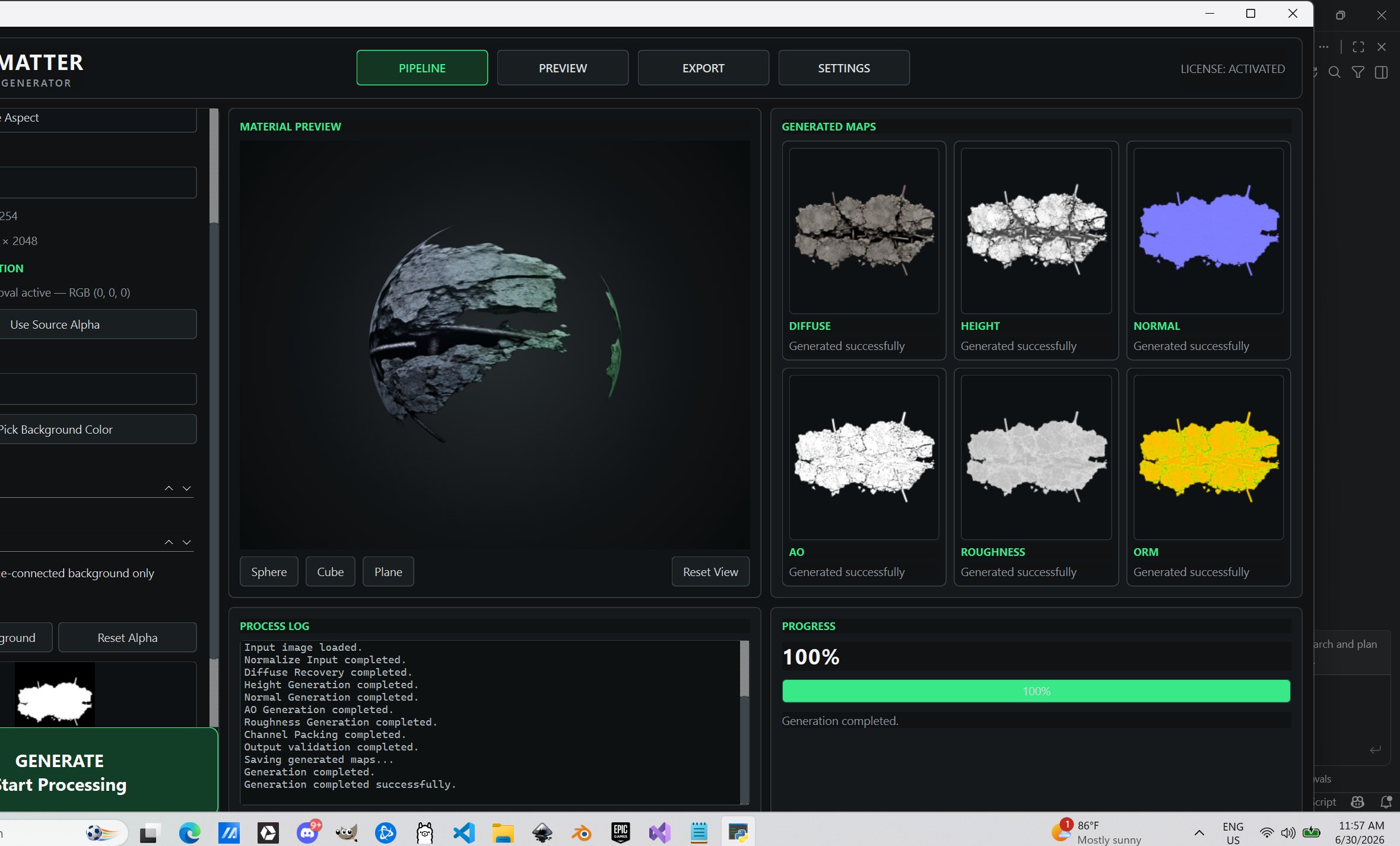 Image 24 of 25
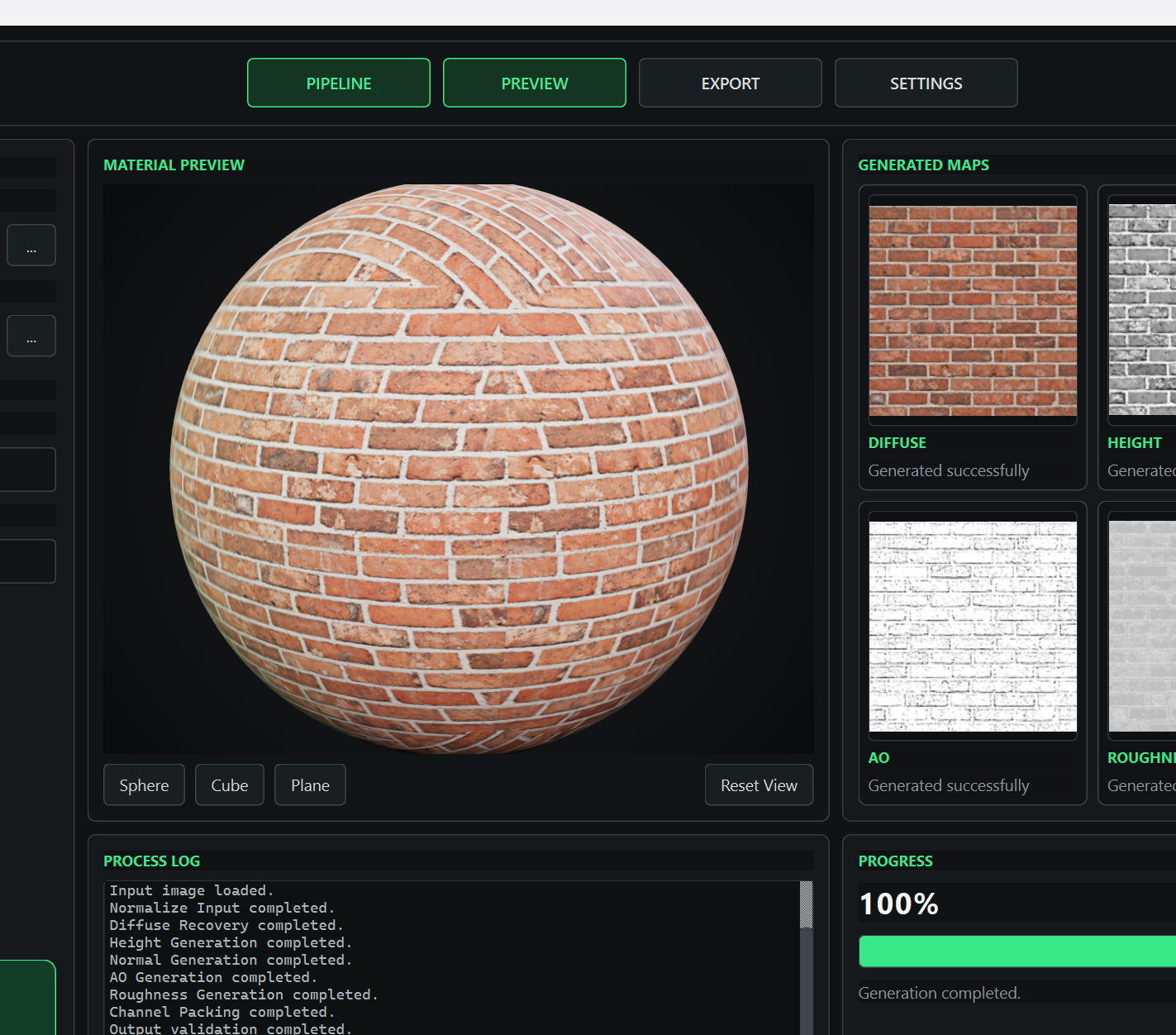 Image 25 of 25